Input Types
Intent
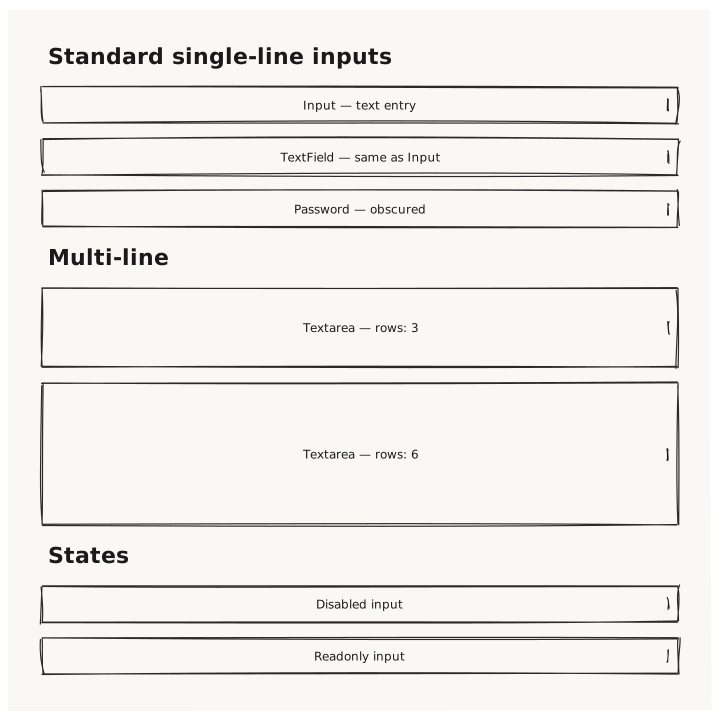
Validate that all text-entry controls (Input, TextField, Textarea, Password) render with the correct intrinsic heights and display their placeholder text inside the control boundary.
What is being tested
- Input / TextField: single-line, intrinsic height 36px
- Password: renders identical to Input but value is obscured
- Textarea with rows: 3 → intrinsic height = 3 × lineHeight + 16 padding
- disabled: true reduces opacity on any input
- readonly: true renders without the interactive indicator
Acceptance criteria
✓ No errors ✓ Input, TextField, Password are all the same height (36px) ✓ Textarea is visibly taller than the single-line inputs ✓ Disabled input has reduced opacity compared to the normal one ✓ Placeholder text visible inside each control
Example
Screen {
  width: 700
  height: 700
  padding: 32

  Column {
    gap: 16

    Text { text: "Standard single-line inputs"  variant: heading }
    Input    { placeholder: "Input — text entry"     width: 100% }
    TextField { placeholder: "TextField — same as Input"  width: 100% }
    Password { placeholder: "Password — obscured"   width: 100% }

    Text { text: "Multi-line"  variant: heading }
    Textarea { placeholder: "Textarea — rows: 3"  rows: 3  width: 100% }
    Textarea { placeholder: "Textarea — rows: 6"  rows: 6  width: 100% }

    Text { text: "States"  variant: heading }
    Input { placeholder: "Disabled input"  disabled: true  width: 100% }
    Input { placeholder: "Readonly input"  readonly: true  width: 100% }
  }
}
Preview