File Upload
Intent
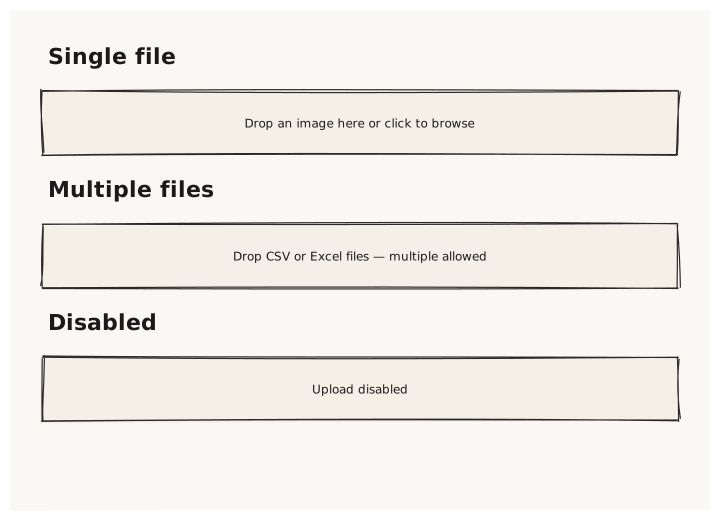
Validate that the FileUpload control renders as a dashed drop-zone area with an upload icon and instructional text. Both single-file and multi-file variants are tested.
What is being tested
- FileUpload with accept: specifying allowed file types
- multiple: true permits selecting more than one file
- text: overrides the default drop-zone label
- disabled: true renders the zone with reduced opacity
Acceptance criteria
✓ No errors ✓ FileUpload renders a dashed rectangle (drop-zone area) ✓ Custom text label is visible inside the drop-zone ✓ "Multiple files" variant looks identical to single-file ✓ Disabled variant has reduced opacity
Example
Screen {
  width: 700
  height: 500
  padding: 32

  Column {
    gap: 20

    Text { text: "Single file"  variant: heading }
    FileUpload {
      width: 100%
      accept: ".png,.jpg,.svg"
      text: "Drop an image here or click to browse"
    }

    Text { text: "Multiple files"  variant: heading }
    FileUpload {
      width: 100%
      accept: ".csv,.xlsx"
      multiple: true
      text: "Drop CSV or Excel files — multiple allowed"
    }

    Text { text: "Disabled"  variant: heading }
    FileUpload {
      width: 100%
      text: "Upload disabled"
      disabled: true
    }
  }
}
Preview