Tooltip Placements
Intent
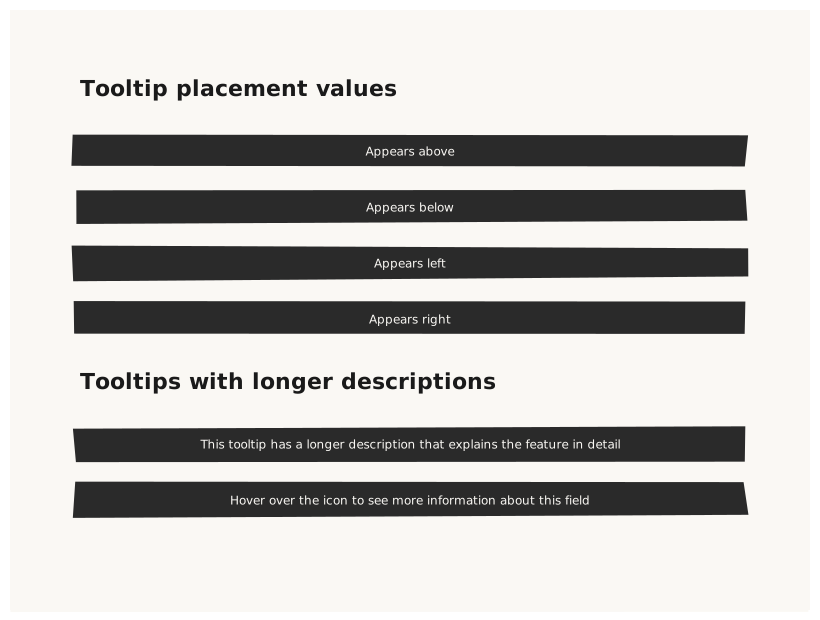
Validate that Tooltip renders a small popover with its text at all four placement positions: top, bottom, left, right. Each placement should visually indicate which direction the tooltip points.
What is being tested
- placement: top / bottom / left / right
- Tooltip text visible and not clipped
- Tooltip renders as a compact labeled box adjacent to its position
Acceptance criteria
✓ No errors ✓ Four Tooltips rendered in four areas of the canvas ✓ Each Tooltip text is readable ✓ Placement label matches the visual position
Example
Screen {
  width: 800
  height: 600
  padding: 64

  Column {
    gap: 32

    Text { text: "Tooltip placement values"  variant: heading }

    Row {
      gap: 24
      Tooltip { text: "Appears above"   placement: top    }
      Tooltip { text: "Appears below"   placement: bottom }
      Tooltip { text: "Appears left"    placement: left   }
      Tooltip { text: "Appears right"   placement: right  }
    }

    Text { text: "Tooltips with longer descriptions"  variant: heading }
    Row {
      gap: 24
      Tooltip { text: "This tooltip has a longer description that explains the feature in detail"  placement: top   }
      Tooltip { text: "Hover over the icon to see more information about this field"               placement: right }
    }
  }
}
Preview