Position Keywords
Intent
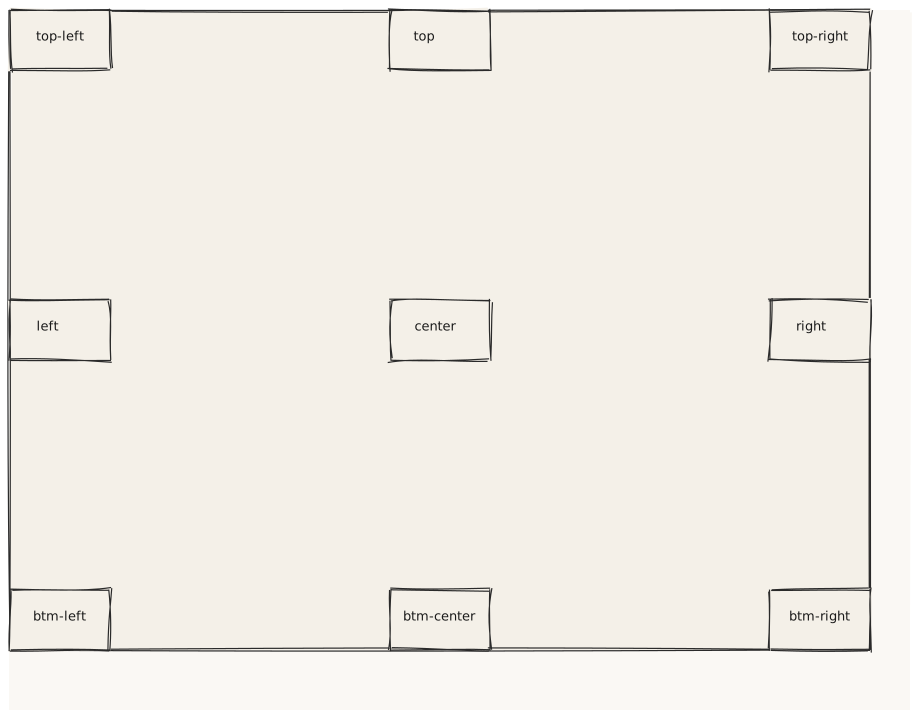
Validate all 9 position keyword values. Each Card is anchored to a named region of the parent container. This tests the resolvePosition() helper in the layout engine against every valid enum value.
What is being tested
- position: topleft / top / topright
- position: left / center / right
- position: bottomleft / bottomcenter / bottomright Each Card is placed inside a tall Card container so the anchoring is visible.
Acceptance criteria
✓ No errors ✓ 9 small cards visible inside the outer Card ✓ Cards anchored to their named corners / edges / center ✓ "center" card is visually centered in both axes ✓ "bottomright" card touches the bottom-right corner of its container
Example
Screen {
  width: 900
  height: 700

  Card {
    width: 860
    height: 640
    padding: 0

    Card { position: topleft      width: 100  height: 60
      Text { text: "top-left"     variant: caption  align: center }
    }
    Card { position: top          width: 100  height: 60
      Text { text: "top"          variant: caption  align: center }
    }
    Card { position: topright     width: 100  height: 60
      Text { text: "top-right"    variant: caption  align: center }
    }
    Card { position: left         width: 100  height: 60
      Text { text: "left"         variant: caption  align: center }
    }
    Card { position: center       width: 100  height: 60
      Text { text: "center"       variant: caption  align: center }
    }
    Card { position: right        width: 100  height: 60
      Text { text: "right"        variant: caption  align: center }
    }
    Card { position: bottomleft   width: 100  height: 60
      Text { text: "btm-left"     variant: caption  align: center }
    }
    Card { position: bottomcenter width: 100  height: 60
      Text { text: "btm-center"   variant: caption  align: center }
    }
    Card { position: bottomright  width: 100  height: 60
      Text { text: "btm-right"    variant: caption  align: center }
    }
  }
}
Preview